Update SiriusXM Information
Learn how to manage your SiriusXM account, add a vehicle, and transfer SiriusXM services from another vehicle. Also, learn what to do if SiriusXM is down or you can’t receive any stations.
Manage Your SiriusXM Account
Log in to care.siriusxm.com to:
1 Update your login information
Update your contact information
Pay your bill
Add a radio
Add a streaming service
Update your payment information
Add a vehicle or transfer your subscription
If you are a SiriusXM subscriber and want to add a new vehicle to your existing SiriusXM account or transfer your services from a previous vehicle, you will need the Vehicle Identification Number (VIN) and Radio ID (also known as ESN or RID) for the vehicle you are adding or transferring.
To find your radio ID:
- Tune your radio to channel.
- The radio ID should be displayed.
Note: On some SiriusXM radios, you may need to hold down the SAT or ESN button or use the radio’s menu functions to display the ID. See your vehicle’s owner’s manual for more information.
See your Radio ID in “My Account”
Desktop and Mobile Browser:
- Go to Experience.gm.com 2. Select the account icon.
3. Log in to “My Account”. 4. Select the “Subscriptions & Services” box.
Mobile App:
- Open the myGM mobile app. 2. Log in to “My Account”.
3. Select the account icon. 4. Select “Settings”.
5. Select “Manage Account”. 6. Select “Subscriptions & Services”.
If you have a trial or paid subscription but SiriusXM is not active or you are not receiving your stations, update your GM infotainment system.
If you are near your vehicle:
Call (855) MYREFRESH or (855-697-3373). Make sure your vehicle is turned on and you have a clear view of the sky.
OR: Go to siriusxm.com/refresh and follow the instructions.
If you are NOT near your vehicle:
- Text “Refresh” to 77917.
2. You will receive a text message with a link to begin the update process.
3. Select the link when you are in front of your radio and follow the instructions.
Refresh SiriusXM Signal
If you have an active SiriusXM Platinum trial subscription and are having trouble receiving your radio, send a refresh signal to your vehicle here. If the refresh signal does not resolve the issue, click here or contact SiriusXM directly at 1-866-635-5027.
For more information about SiriusXM, please visit the SiriusXM website.
All SiriusXM services require a subscription, which is purchased separately from SiriusXM after the trial period ends. Your SiriusXM service will automatically terminate at the end of the trial period unless you choose to subscribe. If you choose to continue using the service after the trial period ends, your selected subscription will automatically renew and you will be charged at the then-current[1] rates using your selected payment method.
Fees and taxes will apply. For complete terms and cancellation information, see the SiriusXM Customer Agreement and Privacy Policy at [website name]. You may cancel by calling 1-866-635-2349. Available in the 48 contiguous U.S. states, D.C., and Puerto Rico (subject to coverage limitations and compatible receiver). Please visit [website name] for the latest coverage area information. The availability of certain services and features may be subject to device capabilities and geographic limitations. All fees, content and features are subject to change. SiriusXM, Pandora and all related logos are trademarks of Sirius XM Radio Inc. and its respective subsidiaries
Satellite radio reception requires a direct line of sight to the transmitting satellite. Tunnels, bridges, covered parking lots, mountainous terrain, tall buildings, dense vegetation, and other obstructions can temporarily interrupt the signal. This is normal and reception will recover after a few seconds. The signal may be weak in areas not covered by the Sirius repeater network or due to interference from cell towers in certain geographic locations.
Sirius XM Refresh
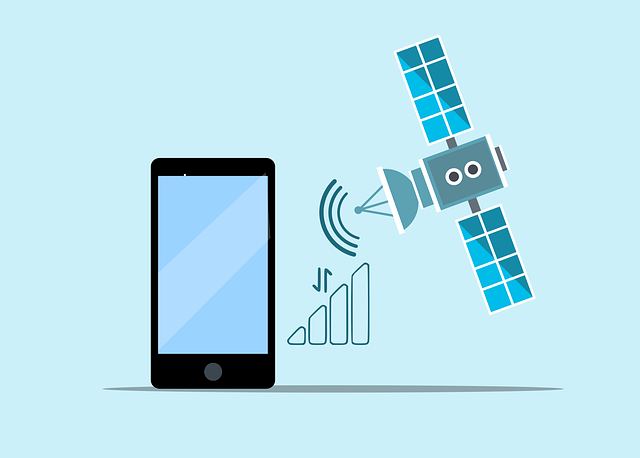
What is Refresh? Refresh is a signal sent by the Sirius XM satellite to activate, or in some cases reactivate, Sirius XM on a home device. The Refresh signal is sent only twice and can occur very quickly (the first signal may be sent within a few seconds and the second signal may be sent up to five minutes later).
For More Details “Click”